Crypto Wallets Explained: A Complete Guide for Beginners

What Is a Crypto Wallet?
A cryptocurrency wallet is a digital tool that allows you to store, send, and receive cryptocurrencies like Bitcoin, Ethereum, and other digital assets. Think of it as a secure interface for interacting with blockchain networks.
The Key Misconception
Your cryptocurrency doesn't actually live "in" your wallet. The coins exist on the blockchain—a distributed public ledger. Your wallet simply stores two crucial pieces of information:
- Public Key (Address): Like your bank account number, this is what you share with others to receive cryptocurrency. It's safe to make public.
- Private Key: Like your PIN or password, this proves ownership and allows you to send cryptocurrency. This must remain secret and secure.
The Golden Rule
"Not your keys, not your coins." If you don't control your private keys, you don't truly own your cryptocurrency. This is why understanding wallet types and security is essential.
How Crypto Wallets Work
Understanding the mechanics helps you make better security decisions.
Public and Private Keys
Crypto wallets use asymmetric cryptography, which means they have a pair of keys:
Public Key:
- Derived from your private key using complex mathematics
- Can be safely shared with anyone
- Used to generate your wallet address
- Like your email address—others need it to send you crypto
Private Key:
- A random 256-bit number (for Bitcoin)
- Must be kept absolutely secret
- Used to sign transactions and prove ownership
- Like your email password—never share it
The Transaction Process
When you send cryptocurrency:
- You create a transaction specifying the recipient's address and amount
- Your wallet uses your private key to digitally "sign" the transaction
- The signed transaction is broadcast to the network
- Miners/validators verify the signature matches your public key
- The transaction is added to the blockchain
- The recipient can now spend those funds using their private key
Types of Crypto Wallets
There are five main types of wallets, each with different trade-offs between security and convenience.
1. Hardware Wallets (Cold Storage)
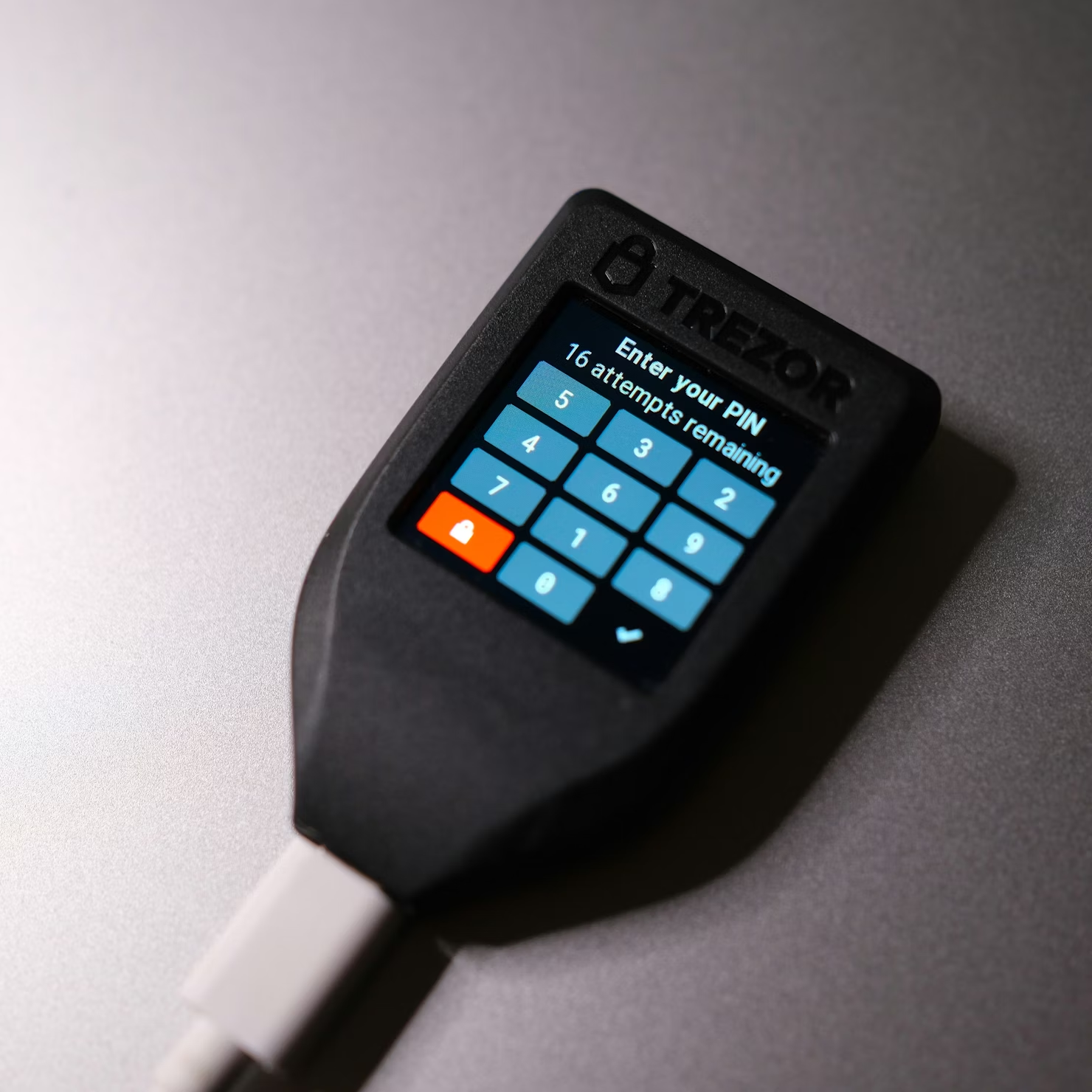
What they are: Physical devices that store your private keys offline, similar to a USB drive.
Popular options:
- Ledger Nano X / Nano S Plus
- Trezor Model T / Model One
- Keystone Pro
- SafePal S1
Pros:
- Highest security level (offline storage)
- Protected from malware and hacking
- Can store multiple cryptocurrencies
- Long-term storage solution
- Physical confirmation for transactions
Cons:
- Cost $50-$200+
- Less convenient for frequent trading
- Can be lost or damaged (backup seed phrase is critical)
- Learning curve for beginners
Best for: Long-term holders (HODLers), large amounts, serious investors
2. Software Wallets (Hot Wallets)
What they are: Applications on your computer or smartphone that store your private keys digitally.
Desktop Wallets
Examples: Exodus, Electrum, Wasabi Wallet, Sparrow
Pros:
- Full control of private keys
- Feature-rich interfaces
- Often support multiple currencies
- Better security than web wallets
Cons:
- Vulnerable if computer is compromised
- Require regular security updates
- Lost if computer crashes without backup
Mobile Wallets
Examples: Trust Wallet, Coinbase Wallet, MetaMask Mobile, Phantom (Solana)
Pros:
- Convenient for daily use
- QR code scanning for easy payments
- Access anywhere via smartphone
- Often free
Cons:
- Phone can be lost, stolen, or hacked
- Dependent on mobile security
- Smaller screen for verification
Best for: Active traders, regular transactions, moderate amounts
3. Web Wallets (Browser-Based)
What they are: Wallets that run in your web browser.
Examples: MetaMask (browser extension), MyEtherWallet, Phantom
Pros:
- Easiest to access from any device
- Quick setup
- Great for DeFi and NFT platforms
- Often free
Cons:
- Most vulnerable to phishing attacks
- Dependent on browser security
- Possible service downtime
- Requires internet connection
Best for: DeFi users, NFT collectors, small amounts for regular use
4. Paper Wallets (Offline Cold Storage)
What they are: Physical documents containing your public and private keys, often as QR codes.
Pros:
- Completely offline (immune to hacking)
- No cost (can be generated free)
- No device needed
- Perfect for long-term storage
Cons:
- Paper can be destroyed, lost, or damaged
- Difficult to use for regular transactions
- Risk of printer spyware during generation
- Not beginner-friendly
- Single point of failure
Best for: Advanced users, long-term cold storage, gifts
5. Exchange Wallets (Custodial)
What they are: Wallets provided by cryptocurrency exchanges like Coinbase, Binance, or Kraken.
Pros:
- Extremely convenient
- Integrated with trading
- Often insured (varies by exchange)
- User-friendly interfaces
- Recovery options if you forget password
Cons:
- You don't control private keys
- Exchange can freeze your account
- Target for hackers (large honey pot)
- "Not your keys, not your coins"
- Regulatory/bankruptcy risk
Best for: Beginners, active day traders, small amounts for trading
Hot Wallets vs Cold Wallets
This is the most important distinction in crypto wallet security.
Hot Wallets
Definition: Any wallet connected to the internet.
Includes:
- Exchange wallets
- Mobile wallets
- Desktop wallets
- Web wallets
Advantages:
- Instant access
- Convenient for trading
- Easy to use
- Quick transactions
Risks:
- Vulnerable to online attacks
- Malware/phishing threats
- Exchange hacks
- Software vulnerabilities
Best practice: Only keep amounts you're actively trading or using.
Cold Wallets
Definition: Wallets that store keys completely offline.
Includes:
- Hardware wallets
- Paper wallets
- Air-gapped computers
Advantages:
- Maximum security
- Immune to online hacks
- Protected from malware
- Long-term storage
Drawbacks:
- Less convenient
- Higher initial cost
- Can be physically lost/damaged
- Requires backup strategy
Best practice: Store the majority of your holdings here.
Custodial vs Non-Custodial Wallets
Another critical distinction that affects your control and security.
Custodial Wallets
Who controls keys: The service provider (exchange, company)
Examples: Coinbase, Binance, Kraken, Cash App
How it works:
- Company holds your private keys
- You access funds through their platform
- Similar to a traditional bank account
Advantages:
- Easy account recovery
- User-friendly
- Customer support available
- Often insured
Disadvantages:
- No true ownership
- Company can freeze/restrict account
- Vulnerable to exchange hacks
- Regulatory seizure risk
- Platform dependency
When to use: For beginners, active trading, small amounts
Non-Custodial Wallets
Who controls keys: You (complete self-custody)
Examples: MetaMask, Trust Wallet, Ledger, Trezor, Exodus
How it works:
- You generate and control private keys
- Only you can access funds
- Full responsibility for security
Advantages:
- Complete ownership and control
- No third-party risk
- Censorship-resistant
- Privacy-preserving
- True decentralization
Disadvantages:
- Full responsibility for security
- Lost keys = lost funds forever
- No customer support for recovery
- More technical knowledge required
When to use: For serious investors, long-term holding, large amounts
How to Choose the Right Wallet
The best wallet depends on your specific needs. Here's a decision framework:
Step 1: Assess Your Use Case
Ask yourself:
- How much crypto will you hold?
- <$500: Mobile/exchange wallet acceptable
- $500-$5,000: Consider hardware wallet
- $5,000+: Hardware wallet strongly recommended
- How often will you transact?
- Daily: Hot wallet (mobile/web)
- Weekly: Desktop wallet
- Monthly: Hardware wallet acceptable
- Rarely: Hardware or paper wallet
- What's your technical expertise?
- Beginner: Start with reputable exchange
- Intermediate: Mobile non-custodial wallet
- Advanced: Hardware wallet + full node
- Which cryptocurrencies do you own?
- Bitcoin only: Specialized Bitcoin wallet (Electrum, BlueWallet)
- Multiple coins: Multi-currency wallet (Exodus, Ledger)
- DeFi/NFTs: MetaMask, Phantom, etc.
Step 2: Match Wallet to Purpose
Purpose | Recommended Wallet Type |
|---|---|
Long-term savings (HODL) | Hardware wallet (Ledger, Trezor) |
Active trading | Exchange wallet (Coinbase, Binance) |
Daily payments | Mobile wallet (Trust Wallet, Coinbase Wallet) |
DeFi interactions | Browser extension (MetaMask, Phantom) |
NFT collection | MetaMask, Phantom, Coinbase Wallet |
Maximum privacy | Hardware wallet + full node |
Gifting crypto | Paper wallet (carefully generated) |
Step 3: Security vs Convenience Trade-off
Higher Security (Less Convenient): Paper Wallet → Hardware Wallet → Desktop Wallet → Mobile Wallet → Web Wallet → Exchange Wallet
Pro Strategy: Use multiple wallets
- Hardware wallet: 80-90% of holdings (cold storage)
- Mobile wallet: 10-15% for regular use (hot wallet)
- Exchange wallet: 5-10% for active trading
Security Best Practices
1. Seed Phrase Security (Critical)
Your seed phrase (recovery phrase) is typically 12-24 words that can restore your wallet.
Do:
- Write it down on paper (never digital)
- Store in fireproof/waterproof container
- Keep multiple copies in secure locations
- Consider metal backup plates for durability
- Never photograph or screenshot it
Don't:
- Store in email, cloud, or digital notes
- Share with anyone (no one legitimate will ask)
- Enter into any website (phishing risk)
- Store with wallet in same location
2. Private Key Protection
Never:
- Share your private key with anyone
- Enter it on websites or apps (except your own wallet)
- Send it via email, text, or messaging apps
- Store unencrypted on computer
Always:
- Keep offline when possible
- Use encrypted storage if digital
- Implement multi-signature if available
3. Transaction Verification
Before confirming any transaction:
Double-check recipient address (every character)
Verify amount being sent
Check network fees
Confirm the blockchain network (BTC, ETH, BSC, etc.)
Test with small amount first for new addresses
4. Device Security
Computer/Phone:
- Keep operating system updated
- Use reputable antivirus software
- Avoid public WiFi for wallet access
- Enable 2FA on all accounts
- Use strong, unique passwords
- Consider dedicated device for crypto
Browser:
- Only download wallets from official sources
- Verify browser extension authenticity
- Clear cache after wallet sessions
- Use hardware wallet for large transactions
5. Phishing Protection
Common scams to watch for:
- Fake wallet websites (typosquatting)
- Emails requesting seed phrases
- "Support" teams asking for private keys
- Too-good-to-be-true investment opportunities
- Fake token airdrops requiring approval
Protection strategies:
- Bookmark legitimate wallet sites
- Type URLs manually, don't click links
- Verify URLs carefully (https, exact spelling)
- Never enter seed phrase on any website
- Enable address whitelisting when available
6. Software Updates
- Keep wallet software updated
- Update firmware on hardware wallets
- Follow official announcements only
- Download updates from official sources only
7. Backup Strategy
Create a comprehensive backup plan:
Minimum requirements:
- Seed phrase backed up (2+ locations)
- Public addresses documented
- Wallet configuration saved
- Exchange of information with trusted person (in sealed envelope)
Advanced:
- Multi-signature setup (2-of-3 keys)
- Geographically distributed backups
- Estate planning documentation
- Dead man's switch arrangements
Common Mistakes to Avoid
Learn from others' expensive errors:
1. Not Backing Up Seed Phrase
Scenario: Lose phone/hardware, lose access forever
Solution: Write down seed phrase immediately upon wallet creation
2. Storing Everything on Exchange
Scenario: Exchange gets hacked or goes bankrupt
Solution: Move to self-custody for amounts you can't afford to lose
3. Sending to Wrong Network
Scenario: Send ETH on BSC network to ETH address
Solution: Always verify network compatibility before sending
4. Falling for Phishing Scams
Scenario: Enter seed phrase on fake website
Solution: Never enter seed phrase anywhere except your wallet recovery
5. Not Testing Small Amounts First
Scenario: Send $10,000 to wrong address, lost forever
Solution: Always test with small amount to new addresses
6. Reusing Addresses (Privacy)
Scenario: All transactions linkable to single identity
Solution: Generate new address for each transaction (HD wallets do this automatically)
7. Ignoring Transaction Fees
Scenario: Pay $50 fee to send $100
Solution: Check network congestion and adjust fees accordingly
8. Keeping Keys on Connected Device
Scenario: Malware steals private keys from computer
Solution: Use hardware wallet for significant amounts
9. No Inheritance Plan
Scenario: Family can't access crypto after your death
Solution: Create secure inheritance documentation
10. Approving Unlimited Token Allowances
Scenario: Malicious DeFi contract drains your wallet
Solution: Revoke approvals regularly, use limited allowances
Frequently Asked Questions
Can I have multiple wallets?
Yes, and you should. Most crypto users maintain several wallets for different purposes: a hardware wallet for savings, a mobile wallet for daily use, and perhaps an exchange account for trading. This is called "wallet diversification" and is a smart security practice.
What happens if I lose my hardware wallet?
If you have your seed phrase backed up, you can restore your funds on a new device (hardware or software wallet). The actual device is just an interface—your crypto exists on the blockchain. Without the seed phrase, however, your funds are permanently lost.
Do I need different wallets for different cryptocurrencies?
Not necessarily. Many modern wallets are "multi-currency" and support dozens or hundreds of different cryptocurrencies. However, some specialized wallets (like Electrum for Bitcoin) offer advanced features for specific blockchains.
How much does a crypto wallet cost?
- Software wallets: Free
- Mobile wallets: Free
- Web wallets: Free
- Hardware wallets: $50-$200
- Paper wallets: Free (just paper/ink)
The only cost for most users is the optional hardware wallet purchase for enhanced security.
Can someone hack my hardware wallet?
Hardware wallets are extremely secure because they keep private keys offline. However:
- Physical theft + PIN compromise = vulnerable
- Supply chain attacks (buy only from manufacturer)
- $5 wrench attack (physical coercion)
- Sophisticated attacks are theoretically possible but rare
The main risk is losing your seed phrase backup or having it stolen.
What's the difference between a wallet and an exchange?
An exchange is a platform where you trade cryptocurrencies (like a stock broker). An exchange wallet is custodial—they control your keys.
A wallet is just a tool to store and manage your keys. You can have a wallet without ever using an exchange, but you'll need an exchange or DEX to acquire crypto initially.
Can I recover my funds without the seed phrase?
No. The seed phrase is the ONLY way to recover a non-custodial wallet. There's no "forgot password" option, no customer support that can help, no backdoor. This is both the power and responsibility of self-custody.
How do I know if a wallet is legitimate?
Before downloading any wallet:
- Check official website (search independently, don't click ads)
- Read reviews from reputable crypto publications
- Verify on GitHub (is it open source?)
- Check social media presence and community
- Look for security audits
- Start with well-known names: Ledger, Trezor, MetaMask, Trust Wallet, Exodus
Should beginners use hardware wallets?
If you're holding more than a few hundred dollars in crypto, yes. While there's a learning curve, hardware wallets provide essential security that's worth the time investment. Start with a reputable brand like Ledger or Trezor—both offer excellent beginner guides.
What's the safest way to store large amounts of crypto?
For large amounts ($10,000+):
- Hardware wallet (Ledger/Trezor)
- Multiple seed phrase backups in secure locations
- Consider multi-signature wallet (requires multiple keys to spend)
- Store offline (cold storage)
- Distribute across multiple wallets (don't keep all eggs in one basket)
- Estate planning documentation for inheritance
Conclusion
Choosing and securing a crypto wallet is one of the most important decisions you'll make in your cryptocurrency journey. While the array of options can seem overwhelming, remember these key principles:
Security hierarchy: Hardware wallet > Desktop wallet > Mobile wallet > Web wallet > Exchange wallet
Control matters: Non-custodial wallets give you true ownership, custodial wallets offer convenience
Use multiple wallets: Different tools for different purposes (saving vs. spending vs. trading)
Backup everything: Your seed phrase is your ultimate backup—protect it with your life
Start simple: Begin with a reputable exchange or mobile wallet, then graduate to hardware wallets as your holdings grow
The crypto space is constantly evolving, and new wallet solutions emerge regularly. Stay informed, prioritize security, and remember: in cryptocurrency, you are your own bank. With that power comes responsibility, but also unprecedented financial sovereignty.
Ready to get started? For most beginners in 2026, we recommend starting with a simple mobile wallet like Trust Wallet or Coinbase Wallet to learn the basics, then investing in a Ledger Nano X or Trezor Model T once you're holding significant value.
Disclaimer: This article is for informational purposes only and does not constitute financial advice. Cryptocurrency investments carry risk. Always do your own research. See our Financial Disclaimer for details.